 StickyVault
Notes for your browser that you never lose
Jot something down in one click, pin notes to the sites they belong to, keep a note floating over any page — and stop worrying: everything is saved as you type, with history, trash and daily backups.
Free to use. Pro is a one-time payment — no subscription.
Everything a note needs. Nothing it doesn’t.
Fast, private and built to keep your words safe.
One-click quick note
Press Alt+Shift+N on any page and start typing. Every letter is saved instantly.
Notes pinned to sites
Attach a note to a page or a whole site — it shows up when you come back.
Floating notes
Keep a note right over the page you’re working on. Move it, resize it, keep typing.
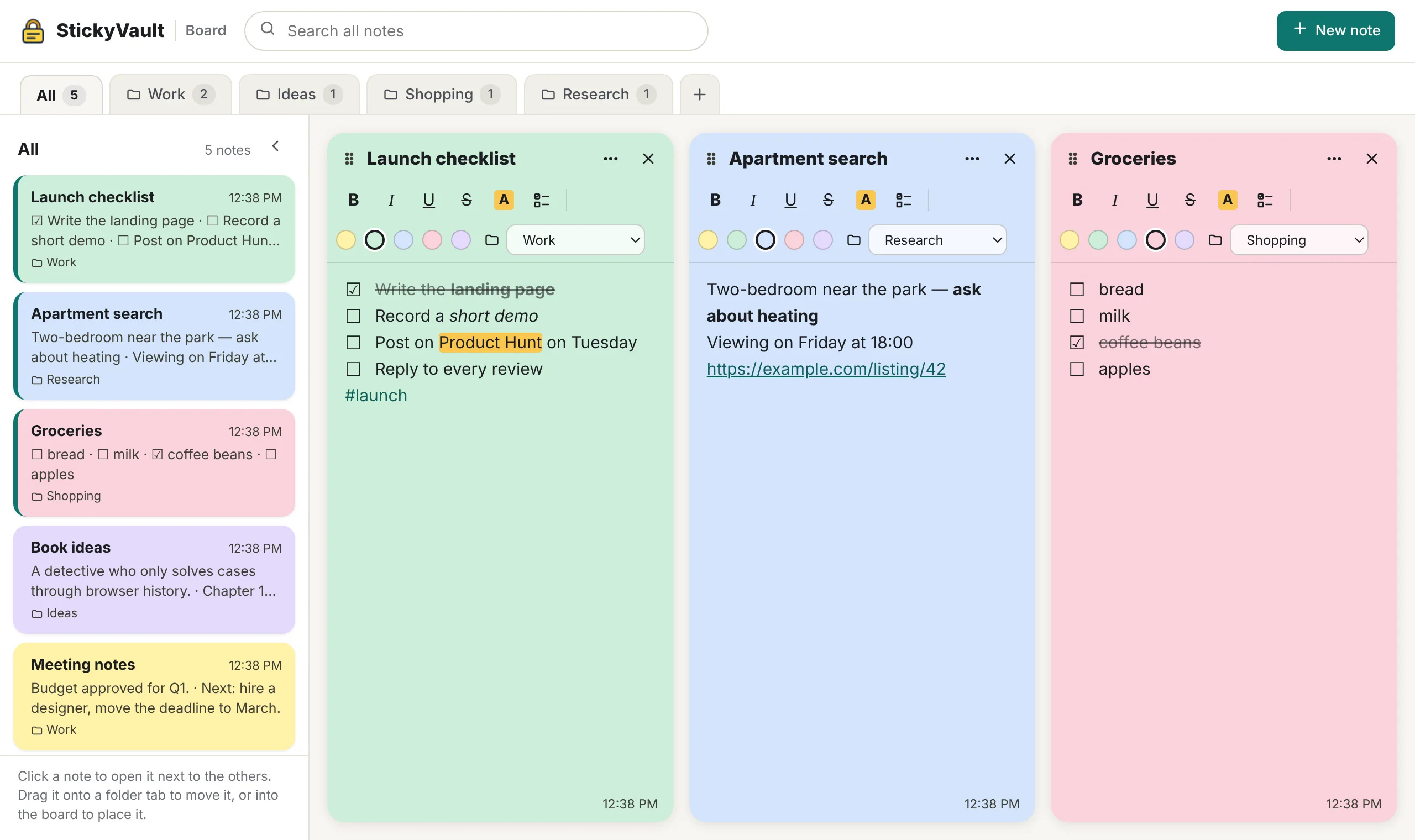
Board for side-by-side work
Open several notes next to each other, with folder tabs on top. Drag notes between folders.
Real formatting & checklists
Bold, italic, underline, strike, highlight and checkboxes — no symbols on screen, just like a text editor.
You never lose a note
Version history, a 30-day trash and daily backups to a folder you choose on your computer.
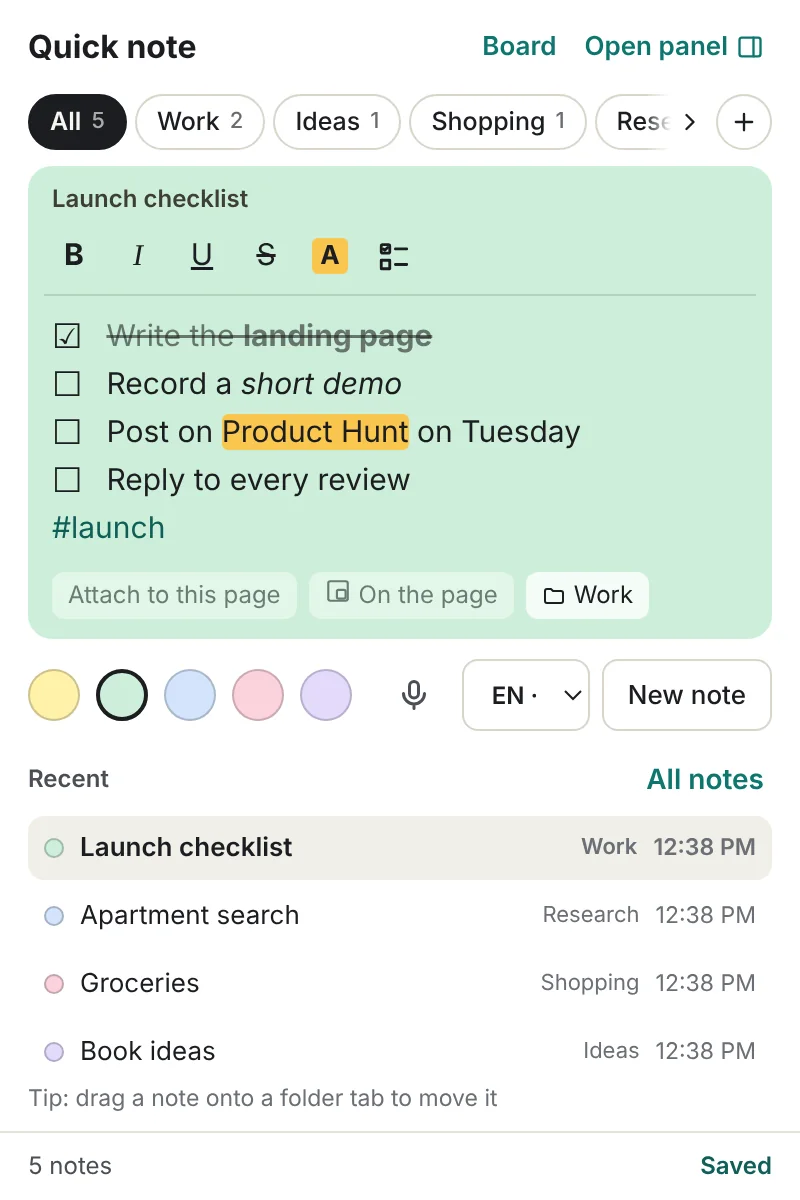
Quick note — right from the toolbar
Click the icon, type, done. Your recent notes and folders are one click away.
- Folder tabs at the top
- Formatting and checklists
- Voice dictation in 6 languages
A board for real work
Compare offers, write a draft next to your research, plan a trip — with up to four notes side by side.
- Drag notes onto folder tabs to move them
- Drag selected text from one note to another
- Free: 2 notes side by side, Pro: 4
A note that floats over any website
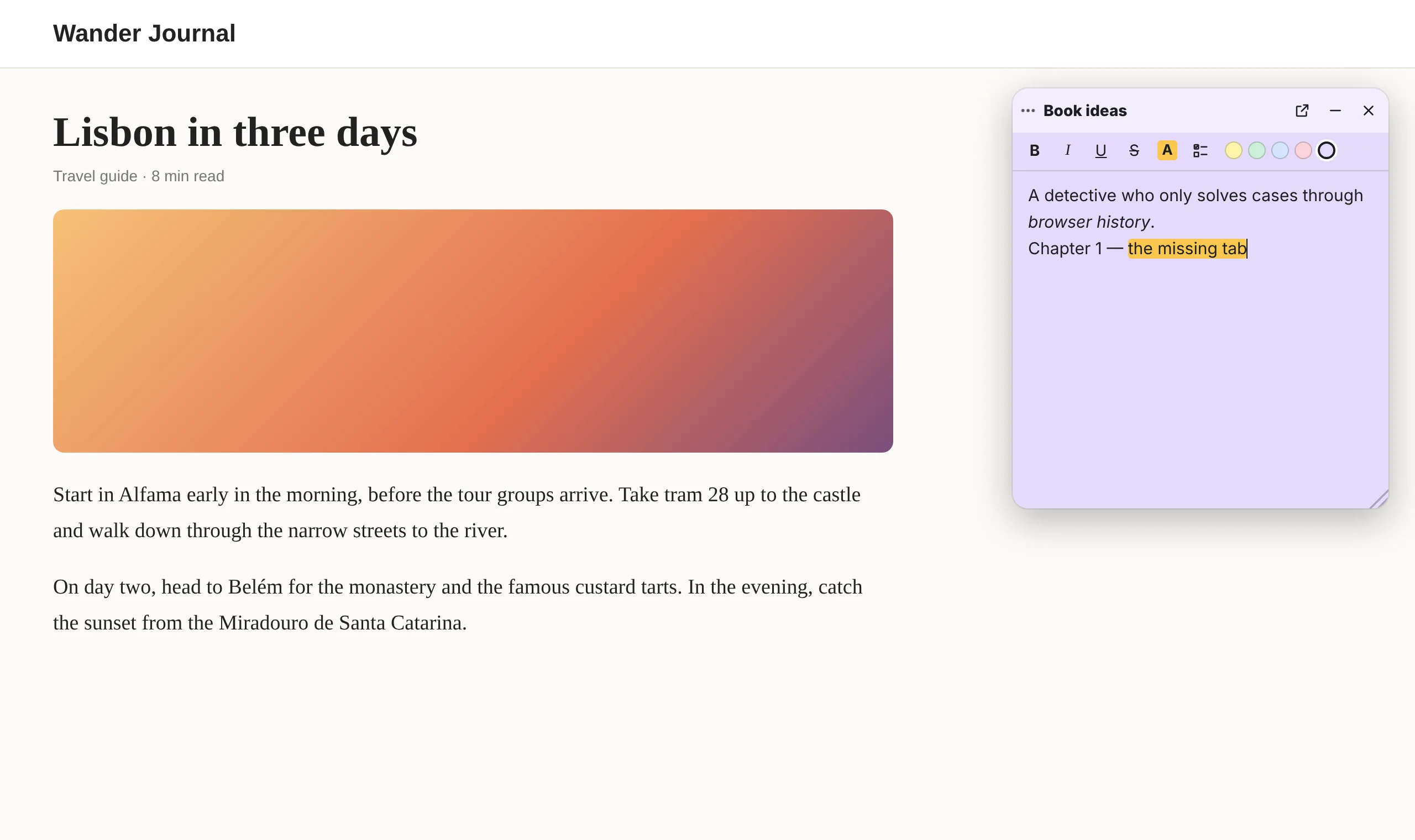
Writing a reply, filling a form or reading a long article? Keep your note right there on the page.
- Drag it anywhere, resize, collapse
- The website can’t read your note
- Optionally comes back after a reload
Simple pricing
Generous free version. Pro is a one-time payment.
✨ Try every Pro feature free for 3 days — no card, no sign-up.
Free
- Unlimited notes, search, side panel
- Notes pinned to sites, checklists
- Version history and 30-day trash
- Daily backups, export and import
- Files, screenshots and reminders
- Voice dictation, light and dark theme
- Board with 2 notes side by side
Pro
- Text formatting
- Folders and folder tabs
- Password-protected notes (encrypted on your device)
- Floating notes over websites
- Board with up to 4 notes side by side
- Accent colors, fonts and text sizes
- Sync via your Google Drive (coming soon)
Ukraine — 200 ₴ · Europe — 12 € · rest of the world — $12. 30-day money-back guarantee. Refunds
Questions & answers
Where are my notes stored?
On your computer, inside your browser. We don’t have servers with your notes. Once a day StickyVault also saves a backup file to a folder you choose.
Do I need to create an account?
No. StickyVault works without registration. Pro is unlocked with a license key that you receive by e-mail after purchase.
What happens after the 3-day trial?
You keep a full free version. Your notes are never locked — everything you created stays open and editable. Only Pro tools (like new formatting or folders) need a key.
Can I use my notes on another computer?
Sync through your own Google Drive is coming soon. Until then, use backup and restore to move notes between computers.
Can I get a refund?
Yes. If StickyVault isn’t right for you, write to us within 30 days of purchase and we’ll refund you in full — no questions asked.
Which browsers are supported?
Google Chrome and other Chromium-based browsers. Microsoft Edge version is on the way.
Questions or ideas?
Write to us — a real person answers, usually within a day.